Always know which row you're on.

Import your chart and line up the rows once. Every time you count, Amime lights up the row you're working on. Row and stitch counters, shaping and gauge maths, and a stitch symbol dictionary, in one quiet app that sits next to your knitting.

Coming soon to the App Store

For iPhone (iOS 17 or later) and Apple Watch
The essentials are free

Example chart. Row 7 is outlined and bright, the other rows are faded 123456789101112
Raglan sweater / Front Row 7 Decrease in 2 rows

Made for the moment your hands are full

No social feed and no sign-up. Your chart, your counters, the maths and a symbol dictionary. Everything works offline.

Chart tracking

Only the row you're on stays bright.

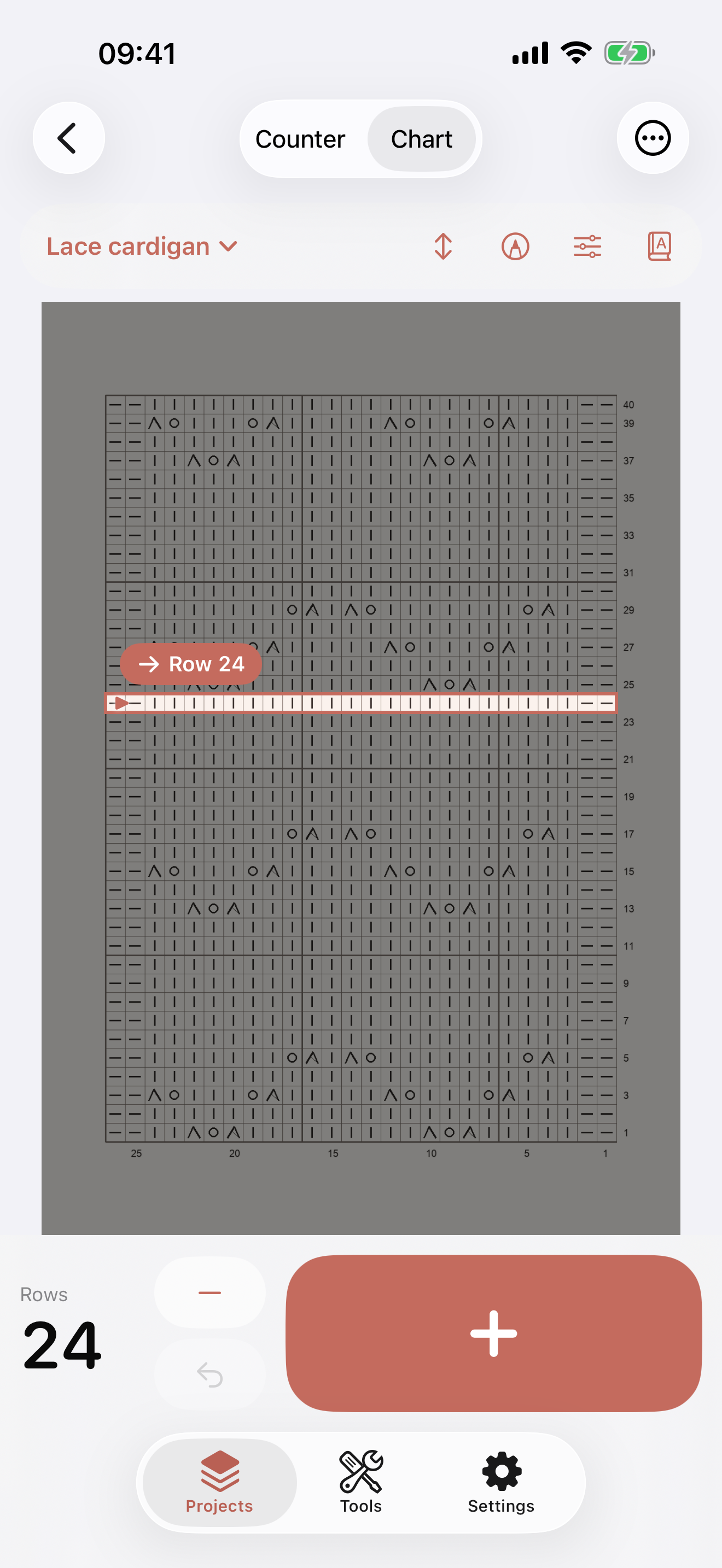
Import a chart from Photos, the camera or a PDF. Drag two lines to the first and last row and enter the row count. Each time you add a row, the highlight moves up and the rest of the chart fades back.

For round charts, such as motifs and amigurumi, mark your place with a ring and numbered pins.

  • Zoom up to 8×
  • Flat and in-the-round direction
  • Fine-tune any row
A chart with the current row highlighted and the row counter below it

Row and stitch counters with reminders

Count rows and stitches separately.

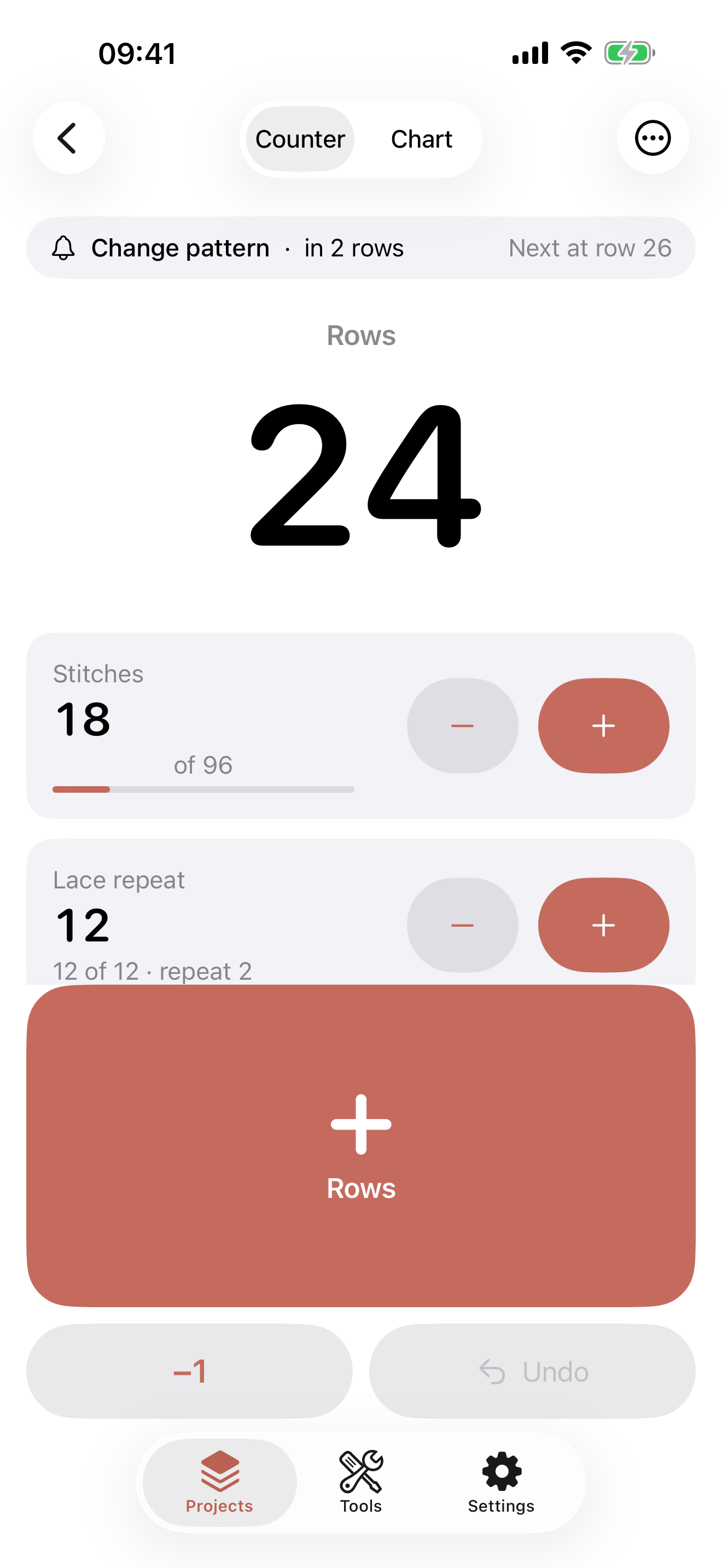
Every part has its own row counter and stitch counter. A repeat counter can follow the row counter, so you see "row 3 of 8, repeat 4" without doing the sums.

Set reminders like "decrease every 6 rows" or "change colour at row 20" and Amime tells you when you get there. Tapped by mistake? Undo goes back 50 steps.

Lock Screen and Apple Watch

Keep knitting. Count from the Lock Screen or your wrist.

Open a part and the counter appears on the Lock Screen and in the Dynamic Island, with +1 buttons that work without opening the app. Home Screen widgets count too.

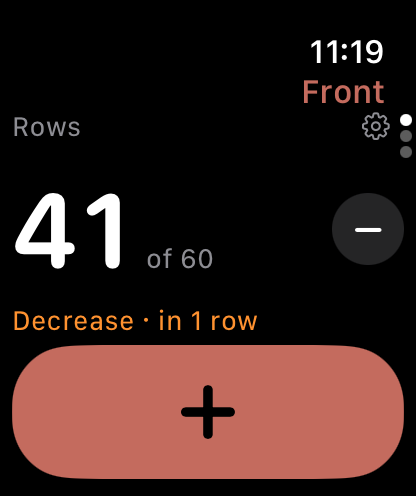
On Apple Watch, tap the big +1 button or turn the Digital Crown. If your iPhone is out of reach, the watch keeps your counts and syncs them when it reconnects.

The Lock Screen showing row and stitch counters with +1 buttons The row counter on Apple Watch

Shaping and gauge calculators

Shaping and gauge, worked out for you.

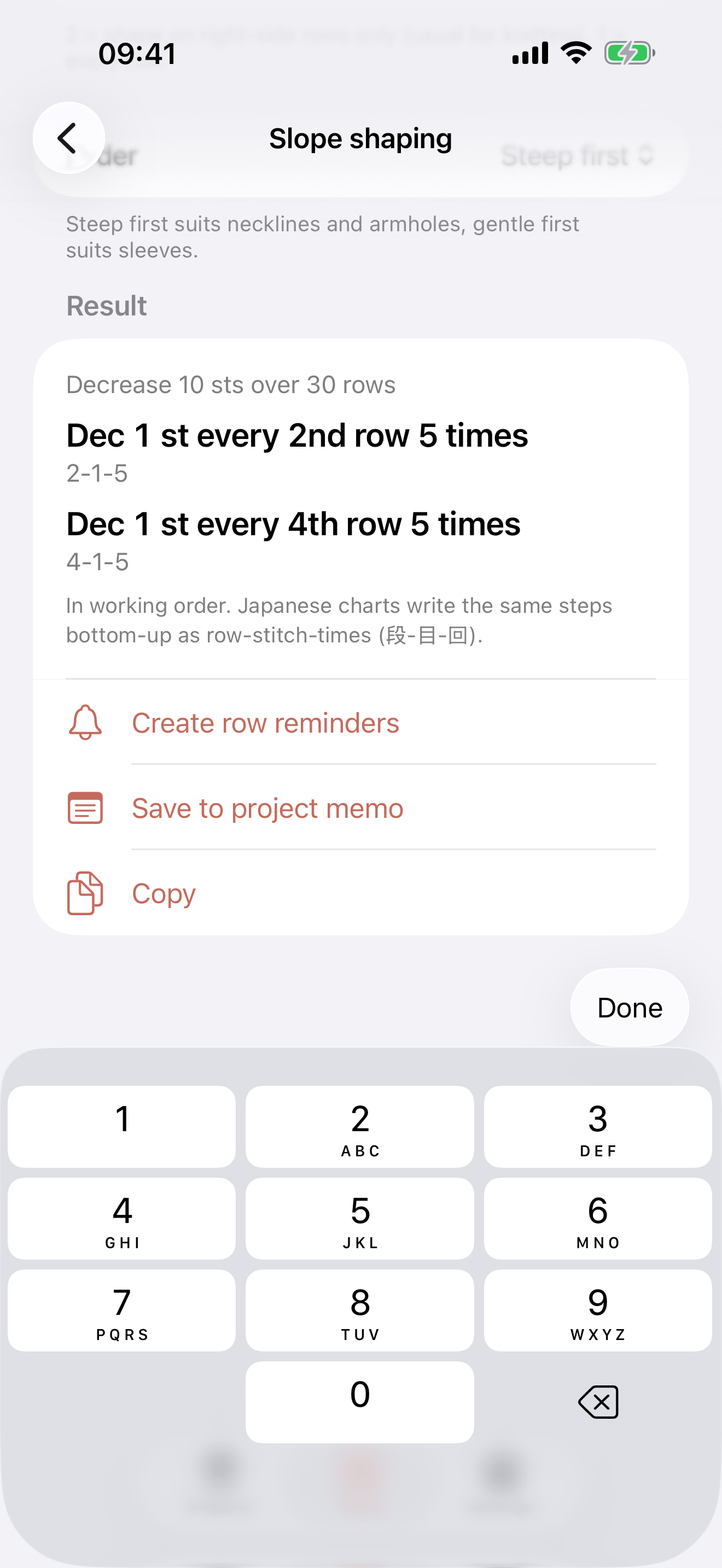
Spread decreases over a slope in the Japanese row-stitch-times notation (2-1-5), space increases evenly across a row, turn a gauge into stitch and row counts, adapt a pattern to your own gauge, and estimate how much yarn you need. Centimetres or inches.

Save any result to a project's notes, and turn a slope into row reminders in one tap.

The slope shaping calculator showing a row-stitch-times result

Stitch symbol dictionary

Look up a symbol without leaving the chart.

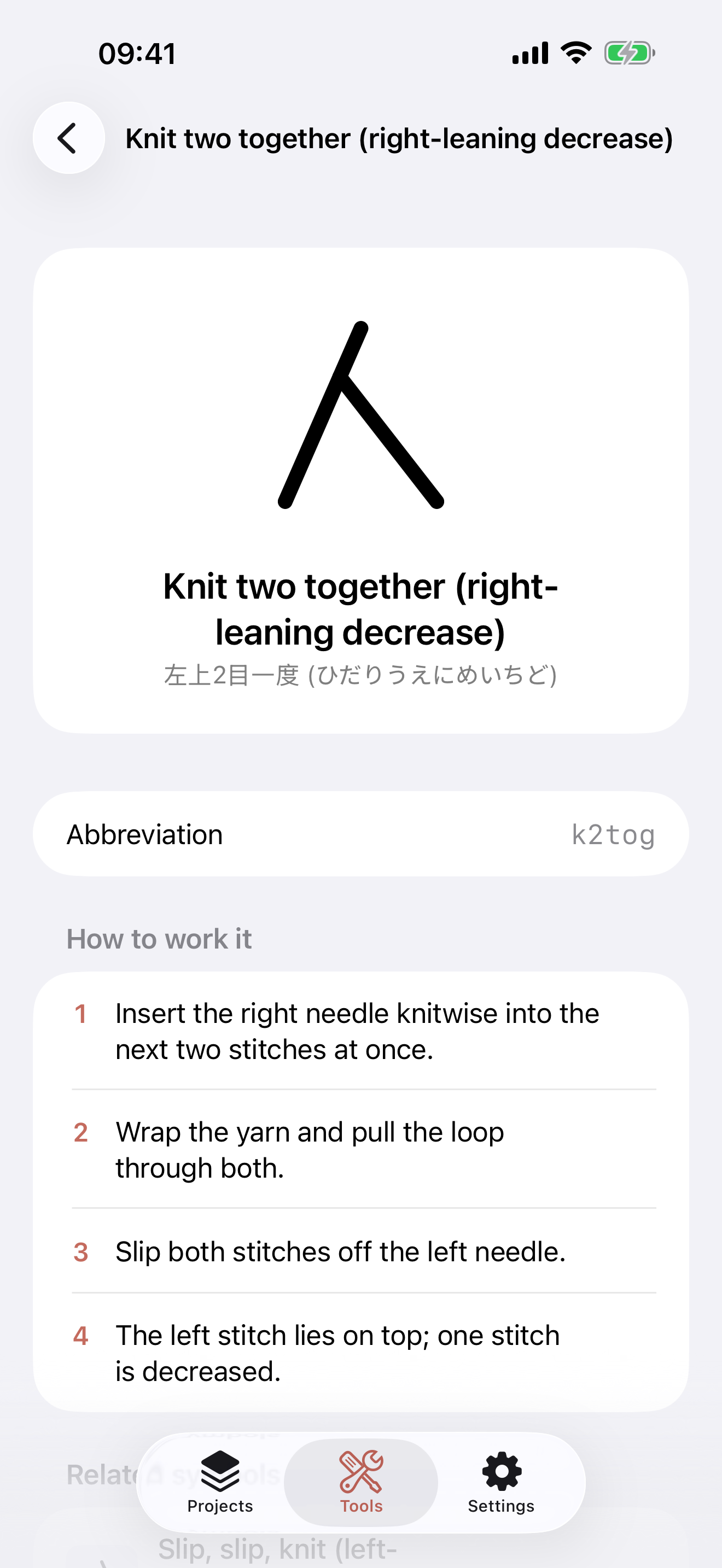
60 Japanese chart symbols, 30 for knitting and 30 for crochet. Search by name, reading or abbreviation (sc, k2tog and so on), and see how to work each stitch and which symbols are related. One tap from the chart viewer.

The stitch symbol dictionary showing a symbol's name, abbreviation and steps

Projects, log and stash

Your projects, your progress and your yarn.

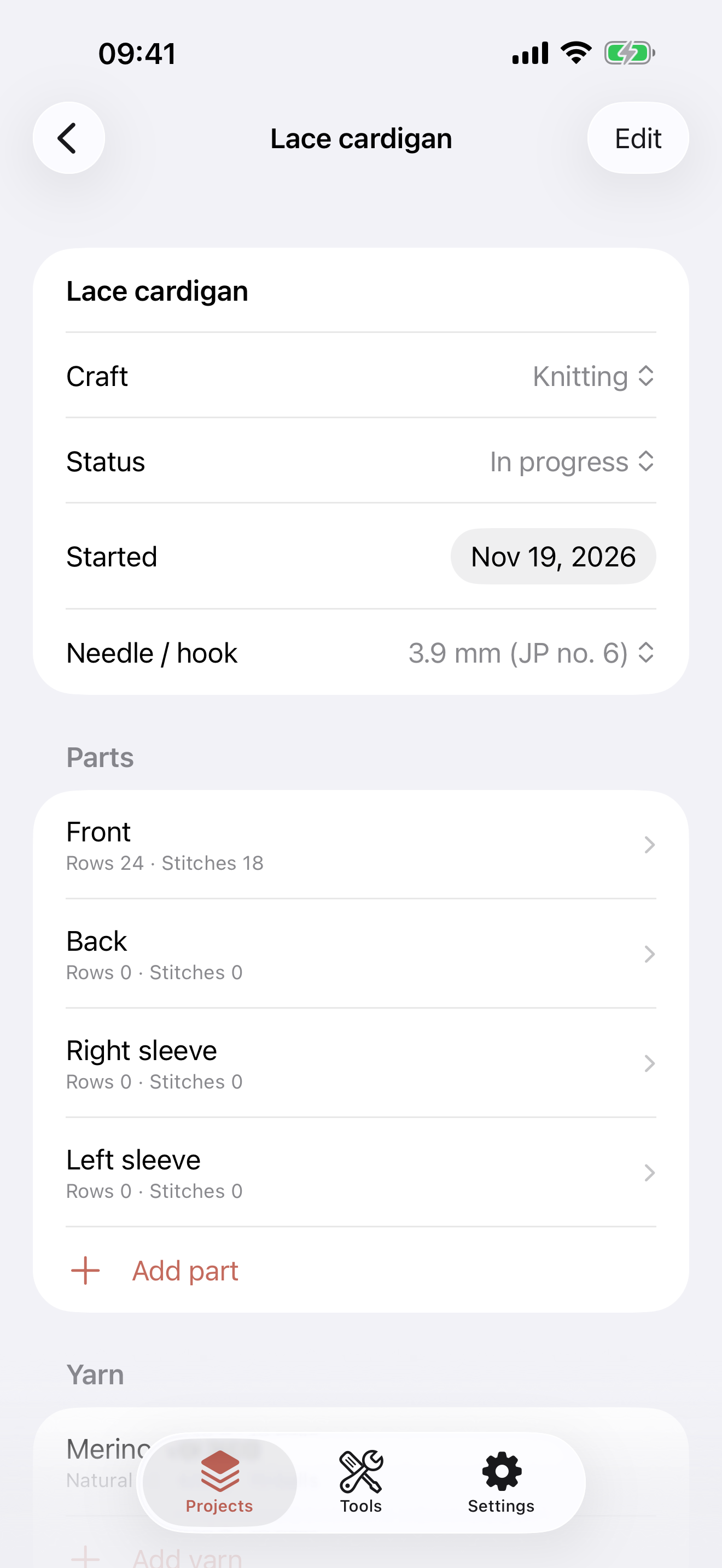
Keep parts, needle sizes, yarn, notes and photos together for each project. The rows you count are logged day by day, and you can add diary entries.

Track the yarn, needles and hooks you own in your stash, with a Japanese size to millimetre table built in.

A project list and the daily log of counted rows

No account.No ads.No tracking.

Your charts stay on your iPhone and in your own iCloud. We collect no data and run no servers. Read the privacy policy for the details.

Pricing

The free version has no time limit and no ads. When your projects and charts grow, Premium is there.

Free

Free for good, no ads

  • Unlimited counters, parts and reminders
  • Lock Screen counter, widgets and Apple Watch
  • Up to 3 active projects
  • 1 chart per part, with row alignment and highlight
  • All calculators and the symbol dictionary
  • Export and import all your data

Premium

Everything in Free, plus

  • Unlimited active projects
  • Unlimited charts in every part
  • Notes and drawings on your charts
  • Multi-page PDF charts
  • iCloud sync and backup across your devices
Monthly
¥300 / month
Yearly
¥2,800 / year7-day free trial
Lifetime
¥5,800

Prices shown are for the Japanese App Store. Prices may vary by country. You can cancel a subscription at any time in your Apple Account settings.